
How to Install APK Files on Android Safely (Step-by-Step Guide)
How to Install APK Files on Android
Installing APK files on Android is one of the easiest ways to access apps that are not available on the Google Play Store. Whether you want to try a beta version, download an app unavailable in your country, or install an older version of an application, APK files make it possible.
However, many Android users hesitate because they are unsure whether installing APK files is safe. The good news is that if you download APK files from trusted sources and follow the correct steps, installing them is simple and secure.
In this guide, you’ll learn everything you need to know about installing APK files on Android safely, including the requirements, step-by-step instructions, common errors, and security tips.
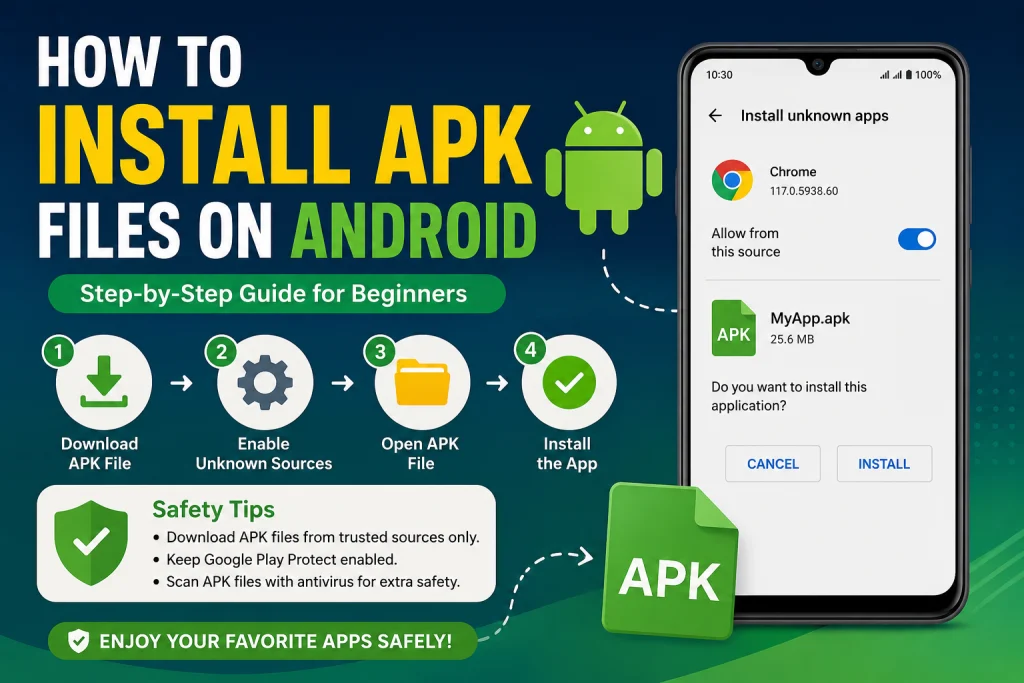
What Is an APK File?
APK stands for Android Package Kit. It is the installation file format used by Android devices to install applications.
Just like Windows uses .exe files and macOS uses .dmg files, Android uses APK files.
An APK file contains everything needed to install an Android app, including:
- App code
- Images and icons
- Resources
- App permissions
- Configuration files
Once installed, the APK behaves exactly like an app downloaded from the Google Play Store.
Why Install APK Files?
There are several reasons why Android users install APK files manually.
1. Apps Not Available in Your Country
Some applications are released only in specific regions. Installing the APK lets you use the app before it becomes officially available in your country.
2. Early Access
Developers often release beta versions of apps as APK files before publishing them on the Play Store.
3. Older Versions
If a new update causes bugs or removes features, you can install an older APK version.
4. No Google Play Store
Some Android devices do not include Google Play Services, making APK installation the only option.
Is Installing APK Files Safe?
Yes—but only if you download APK files from trusted websites.
Downloading APKs from unknown websites can expose your device to: How to Install APK Files on Android
- Malware
- Viruses
- Spyware
- Fake applications
- Data theft
To stay safe:
- Download APKs only from reputable websites.
- Read user reviews.
- Check app permissions.
- Keep Google Play Protect enabled.
- Use antivirus software if possible.
Requirements Before Installing APK Files
Before installing an APK, make sure you have:
- Android phone or tablet
- APK file downloaded
- Enough storage space
- Stable battery level
- Permission to install unknown apps
How to Install APK Files on Android
Follow these simple steps. How to Install APK Files on Android
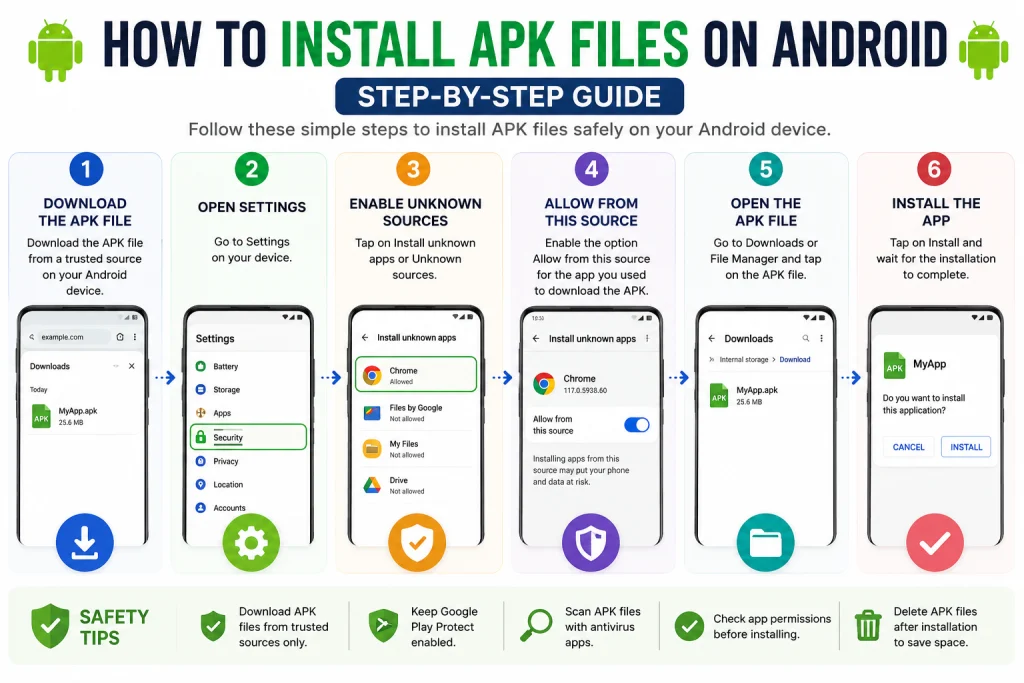
Step 1: Download the APK File
Download the APK from a trusted source.
Avoid modified or suspicious APKs unless you fully trust the publisher.
Step 2: Open Settings
Go to:
Settings → Security
or
Settings → Apps → Special App Access → Install Unknown Apps
The location varies depending on your Android version.
Step 3: Allow Unknown Apps
Choose the browser or File Manager you used to download the APK.
Enable:
Allow from this source
This permission allows Android to install applications outside the Play Store.
Step 4: Locate the APK File
Open your File Manager.
Navigate to:
Downloads
Tap the APK file.
Step 5: Start Installation
Android will display an installation screen.
Tap:
Install
The installation usually takes only a few seconds.
Step 6: Open the App
After installation finishes, tap:
Open
or
Done
The application is now ready to use.
How to Update an APK App
Updating an APK-installed app is easy.
- Download the latest APK version.
- Tap the new APK.
- Install it over the existing version.
- Your data usually remains intact.
Common APK Installation Errors
Sometimes APK installation fails.
App Not Installed
Possible reasons include:
- Corrupted APK
- Low storage
- Incompatible Android version
- Conflicting app version
Solution:
Download the APK again from a trusted source.
Parse Error
This usually means:
- APK is damaged
- APK is incompatible
- Download was incomplete
Solution:
Download the correct version for your device.
Installation Blocked
Android may prevent installation if Unknown Apps permission is disabled.
Enable the permission and try again.
Insufficient Storage
Delete unused apps, photos, or videos to free up storage.
Tips for Safe APK Installation
Always follow these best practices:
- Download only from trusted websites.
- Avoid cracked or modified APKs unless you understand the risks.
- Keep Android updated.
- Enable Google Play Protect.
- Scan APK files with antivirus software.
- Review requested permissions before installing.
- Delete APK files after installation to save storage.
Advantages of Installing APK Files
Installing APK files offers several benefits.
- Access apps before official release.
- Install apps unavailable in your region.
- Roll back to older app versions.
- Install apps without Google Play Store.
- Share apps easily with friends.
Disadvantages
There are also a few drawbacks.
- Higher security risk from untrusted sources.
- No automatic Play Store updates.
- Possible compatibility issues.
- Fake APKs may contain malware.
Being cautious greatly reduces these risks.
Frequently Asked Questions
Can APK files harm my Android phone?
APK files themselves are not harmful. However, APKs downloaded from untrusted websites may contain malware or other security threats.
Do I need to root my phone?
No. Most APK files can be installed on a standard Android device without rooting.
Can I uninstall an APK app?
Yes. Go to Settings → Apps, select the app, and tap Uninstall.
Will APK apps receive updates?
Not automatically from the Play Store. You’ll usually need to download and install newer APK versions manually unless the app has its own update mechanism.
Are APK files legal?
Yes. APK files are legal when distributed by the original developer or with proper permission. Downloading pirated or modified apps may violate copyright or the app’s terms of service.How to Install APK Files on Android
Conclusion
Installing APK files on Android is a simple and convenient way to access apps outside the Google Play Store. By enabling the Install Unknown Apps permission, downloading APKs only from trusted sources, and following the correct installation steps, you can safely enjoy apps that are unavailable through official channels. How to Install APK Files on Android
Always prioritize security by checking app permissions, keeping your device updated, and avoiding suspicious downloads. With these best practices, installing APK files becomes a safe and useful part of your Android experience.